

Instagram Audio Downloader: Complete Guide
What an Instagram audio downloader is, how it turns a link into an MP3, which types exist, and how to choose a safe one. Plain-English guide with steps.
InstaMP3Box Team10 min read
On this page▼
- Key takeaways
- What is an Instagram audio downloader?
- What you can and cannot download
- How an Instagram audio downloader works
- The main types of Instagram audio downloader
- Web-based converters
- Browser extensions
- Mobile apps
- Desktop software and command-line tools
- Screen recording
- How to choose a good Instagram audio downloader
- Step by step: download Instagram audio
- MP3, M4A or WAV: which format is best?
- What people use the audio for
- Safety, privacy and the law
- Troubleshooting common problems
- The bottom line
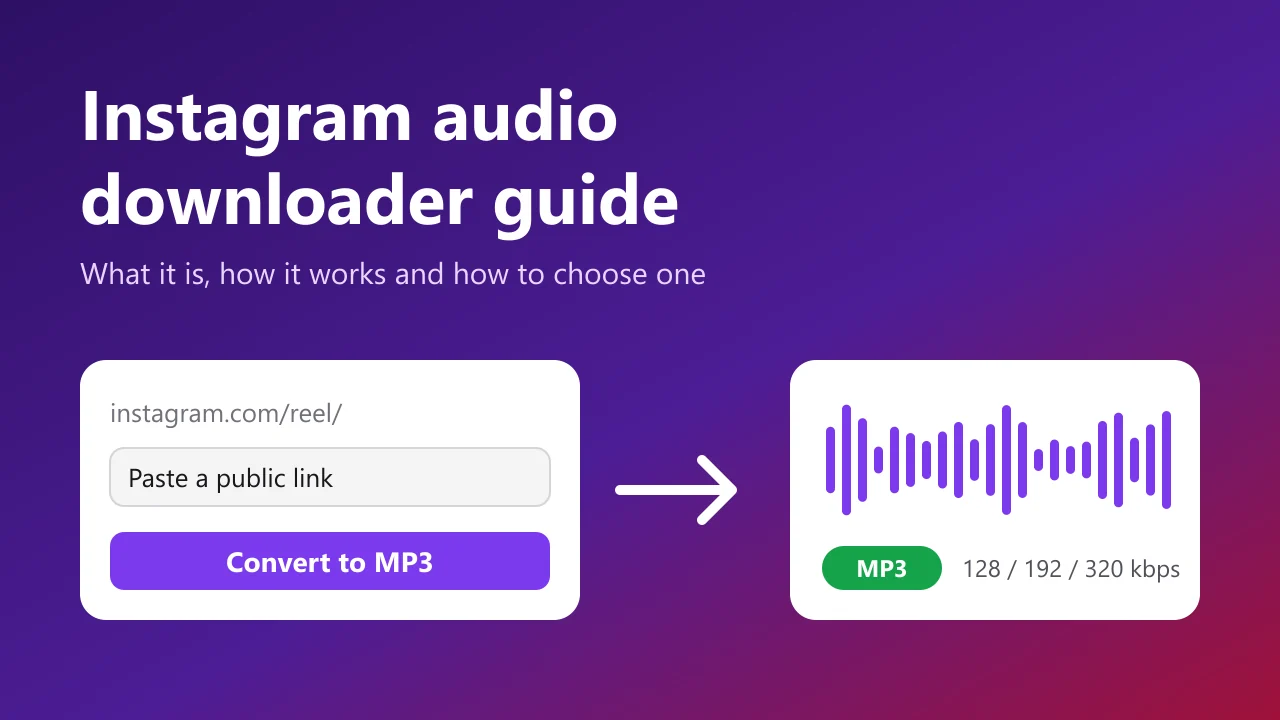
An Instagram audio downloader is a tool that takes the link to a public Reel, video or Story and gives you back just the sound as an audio file, usually an MP3. You paste the link, choose a quality, and download a small file you can play offline, edit or transcribe. No video, no Instagram login and, with a good tool, no installation.
This guide explains what an Instagram audio downloader does, how one works behind the scenes, the different kinds you will find, how to choose a safe and reliable option, and what to do when a link will not convert. If you just want to convert something now, the InstaMP3Box Instagram audio downloader is a free web tool that works on any phone or computer.
Key takeaways
- It extracts sound, not video. The output is a small audio file, typically MP3 at 128, 192 or 320 kbps.
- It only works on public posts. Private accounts, deleted posts and expired Stories cannot be read.
- Web tools are the safest everyday choice. They need no install, no extension and no Instagram password.
- Permission matters more than the tool. Saving your own audio is fine; reusing someone else’s sound needs their consent.
What is an Instagram audio downloader?
Instagram has no built-in “save audio” button. When you watch a Reel, the sound is bundled inside the video file, and the app only lets you save or share the video. An Instagram audio downloader fills that gap. It reads the public post, separates the audio track, converts it to a standard format and hands it to you.
People use the result for very different reasons: a voice-over that needs transcribing, an interview to listen to on a commute, a sound you made yourself and no longer have the original of, or a reference clip for an edit. The common thread is that the picture is irrelevant and the sound is what matters. If your goal is specifically a file with no overlays or branding, our guide to an Instagram audio downloader without watermark covers that angle in depth.
Related searches such as “Instagram to MP3”, “Instagram sound downloader” and “Reels audio downloader” describe the same kind of tool. The names differ; the job is the same.
What you can and cannot download
Any downloader works within the limits of what Instagram makes publicly visible. In practice that means:
- Works: public Reels, public feed videos, IGTV uploads and public Stories that are still live.
- Does not work: posts from private accounts, deleted or archived posts, expired Stories and links that point to a profile or highlight instead of one specific post.
- Special case: a post with no sound has nothing to extract. A good converter says so rather than returning an empty file.
- Carousels: if a post contains several clips, you normally get the audio of the first video.
A quick test is to open the link in a private browsing window. If you cannot watch it while logged out, no downloader can read it either. That is not a flaw in the tool; it is Instagram’s privacy setting working as intended, and legitimate tools do not try to bypass it.
How an Instagram audio downloader works
The experience is simple, but a few distinct steps happen in the background. Understanding them also helps you judge whether a tool is trustworthy.
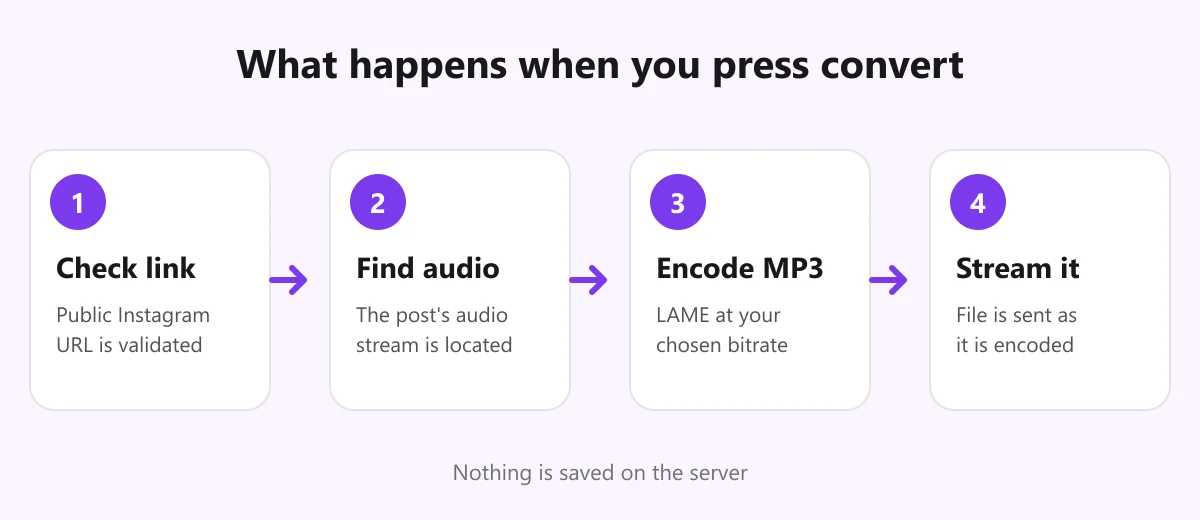
- Link check. The tool confirms the address really is an Instagram post URL and strips tracking parameters. InstaMP3Box does this in your browser first, so a typo or a link from another site is caught before anything is sent.
- Finding the audio. The server looks up the public post and locates its audio stream. This is the step that fails when an account is private or a post is gone.
- Encoding. The audio is converted to MP3 with an encoder. We use LAME at 44.1 kHz and the bitrate you selected.
- Delivery. The file is sent to your browser while it is still being encoded, which is why the download starts within a second or two.
On our side the audio passes through memory and is not written to disk, so there is no stored copy and no history of what you converted. Embedded metadata is stripped from the output, so the MP3 does not inherit tags from the source video. Other tools may behave differently, which is why a clear privacy policy matters; ours is in the privacy policy.
The main types of Instagram audio downloader
There are five broad approaches. Each has a place, but they are not equally safe or convenient.
Web-based converters
You open a website, paste a link and download the file. They need no installation, work on every device and never touch your Instagram account. The trade-off is that quality varies enormously between sites, and some are cluttered with ads. This is the category InstaMP3Box belongs to and the one we recommend for most people.
Browser extensions
Extensions add a download button inside Instagram’s own page. They are convenient but request broad permissions, can read the pages you visit, and are removed or broken whenever Instagram changes its layout. Treat any extension that asks for more than it needs with suspicion.
Mobile apps
Apps can be handy, but many are ad-heavy, ask for unnecessary permissions or disappear from app stores. Because a web tool does the same job in a browser tab, an app is rarely necessary.
Desktop software and command-line tools
Programs for power users can fetch and convert in bulk. They offer control, but setup is technical and bulk downloading is exactly what Instagram’s terms discourage.
Screen recording
Recording your screen while a Reel plays always works in a pinch, but it captures notification sounds and system noise and recompresses the audio. It is the lowest-quality route and worth avoiding when a proper converter is available.
How to choose a good Instagram audio downloader
With so many near-identical sites, a short checklist saves time and risk.
- No login required. A tool for public posts never needs your Instagram password. If it asks, leave.
- Real MP3 output. Some sites rename a video file and call it audio. A genuine 60-second clip at 192 kbps is roughly 1.4 MB, not 30 MB.
- Choice of bitrate. At least 128, 192 and 320 kbps lets you match quality to the material.
- Honest, readable interface. One obvious download button, no fake buttons and no countdown that restarts.
- Clear privacy policy. It should say what is logged and whether files are kept.
- Works on your device. It should behave the same on iPhone, Android and desktop with no app.
- A way to contact the team. Support and copyright contacts, like our contact page, are a sign of a real service.
Step by step: download Instagram audio
The steps are the same whichever device you use. For device-specific details on iPhone, Android and PC, see our full guide to how to download audio from an Instagram Reel.
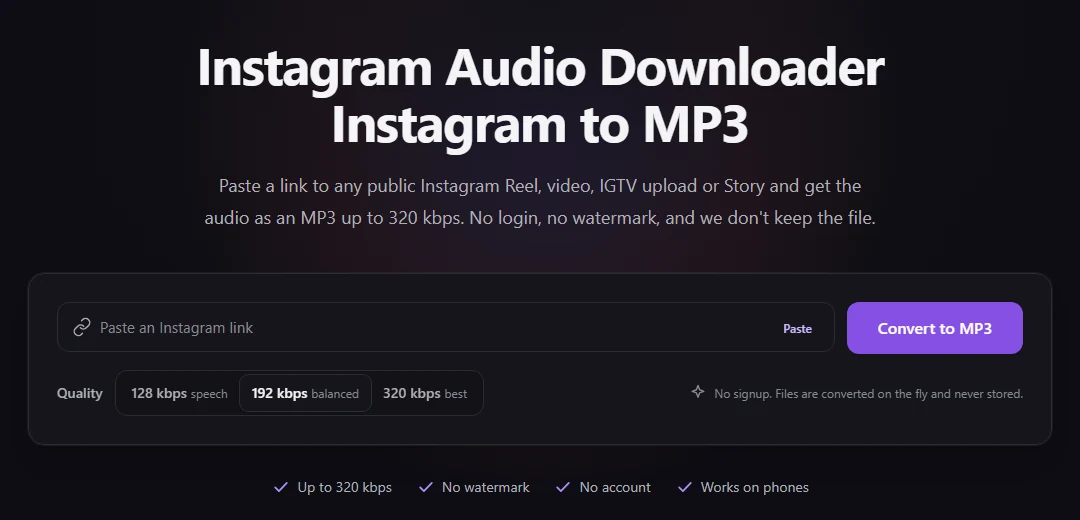
- Copy the link. In the Instagram app, tap the three dots on the post and choose Copy link. On a computer, copy the address from the browser bar.
- Paste it into the converter. Open the downloader, paste the link and pick a quality.
- Download. Review the title, handle and duration, then press download. The MP3 saves to your usual downloads location: the Files app on iPhone, the Downloads folder on Android and computers.
Content-specific pages cover the details of each type: the Reels to MP3 converter, the Instagram video to MP3 converter and the Story audio downloader.
MP3, M4A or WAV: which format is best?
Most downloaders output MP3, but it helps to know the alternatives.
- MP3 is the universal choice. It is lossy, tiny and plays on everything. At 192 kbps a minute of audio is about 1.4 MB. Background reading on the format is available in this overview of MP3.
- M4A (AAC) is a newer lossy format that is slightly more efficient at the same size. It plays on virtually every modern device; see the summary of Advanced Audio Coding. If a converter has to fall back to a backup service you may receive M4A, and any audio editor can turn it into MP3.
- WAV is uncompressed. A minute of CD-quality stereo is about 10 MB, which is why it is reserved for editing. Details are in the entry on the WAV format.
One point surprises people: converting to a bigger format does not improve quality. Instagram already compresses audio when a video is uploaded, so a WAV made from an Instagram clip is just a larger copy of the same sound. For a practical bitrate choice, use 128 kbps for speech, 192 kbps for most music and 320 kbps for audio you plan to edit. To estimate file sizes, try the MP3 file size calculator.
What people use the audio for
- Transcription and captions. Speech-to-text tools are faster and cheaper on audio than on video.
- Podcast and repurposing workflows. A run of short talking-head Reels can be cut into a longer audio episode.
- Archiving your own work. A master copy that does not depend on a platform keeping your post online.
- Offline listening. Interviews and long videos are easier to follow with the phone in a pocket.
- Accessibility. Some listeners simply prefer audio to a screen.
- Reference and research. Studying pacing and structure without the visuals.
Safety, privacy and the law
Using a downloader is not risky in itself, but a few habits keep you safe. Stay on sites that run over HTTPS, do not install anything a converter asks you to install, and never enter your Instagram credentials on a third-party site. Close any page that redirects you or opens unexpected pop-ups.
On the legal side, the tool is not the issue; what you do with the file is. Audio from your own posts, content you have written permission to reuse, and material under a licence you follow are generally fine. Republishing someone else’s audio as your own, or using commercial music in monetised content without a licence, is not. Instagram’s terms also restrict automated collection of content. Our terms of service explain permitted use, and the about page describes what the tool deliberately does not do. This is general information, not legal advice.
Troubleshooting common problems
- “Post is private or unavailable.” The account is private, the post was deleted, or the Story expired. Test the link in a private window.
- “Invalid link.” You copied a profile or highlight link. Open the exact Reel or post and copy its link again.
- “No audio track.” The video is silent, so there is nothing to extract.
- Download is slow or says the service is busy. Requests are rate limited per network and encodes are capped so the service stays fast. Wait a minute and retry.
- Very long videos. Anything up to about 15 minutes is comfortable. For longer uploads, choose 128 kbps to keep the transfer light.
- Got M4A instead of MP3. A backup service handled that link. The file is still valid audio.
The bottom line
An Instagram audio downloader is a simple idea done in a few careful steps: validate the link, find the audio in a public post, encode it, and deliver it. The best option is usually a web tool that needs no login, no install and no extras, offers sensible bitrate choices, and is clear about privacy. Pair that with a habit of only reusing audio you have the right to use, and you have a reliable way to keep the sound without the video. When you are ready, paste your first link into the converter.
InstaMP3Box Team
The InstaMP3Box team writes guides on saving audio from Instagram — from quick how-tos to deeper explainers on bitrate and file formats.
How we write and update our guidesFollow on X (Twitter) ↗Frequently asked
What is an Instagram audio downloader?
It is a tool that takes the link to a public Instagram Reel, video or Story and returns only its sound as an audio file, usually an MP3, so you can listen offline, edit or transcribe it.
Is it free to download audio from Instagram?
Yes. InstaMP3Box needs no account, card or trial. Requests are rate limited per network to keep the service fast, and ads help cover hosting.
Do I need to log in to Instagram to use an audio downloader?
No. A downloader for public posts should never ask for your Instagram login. If a site requests your password, do not use it.
What audio quality can I get from Instagram?
You can choose 128, 192 or 320 kbps MP3 at 44.1 kHz. The ceiling is the quality Instagram kept when the video was uploaded, so a higher bitrate preserves it rather than improving it.
Can I download audio from Instagram on iPhone and Android?
Yes. A web-based downloader runs in the browser. On iPhone the MP3 is saved in the Files app under Downloads; on Android it goes to the Downloads folder.
Is using an Instagram audio downloader legal?
Saving your own audio or content you have permission to use is generally fine. Republishing or monetising someone else's audio without a licence can infringe copyright. This is general information, not legal advice.