

Instagram Audio Downloader Without Watermark
Download Instagram audio without watermark as a clean MP3. See why audio has no overlay, how to save Reel sound in 3 steps, and which bitrate to pick.
InstaMP3Box Team10 min read
On this page▼
- Key takeaways
- What “without watermark” means for Instagram audio
- Why videos get watermarks and audio does not
- How to download Instagram audio without watermark
- Choose the right bitrate
- Reels, feed videos and Stories behave differently
- On iPhone, Android and desktop
- How to spot a “no watermark” downloader that is not
- Audio watermarks, copyright and what you can do with the file
- Fixing links that will not convert
- The short version
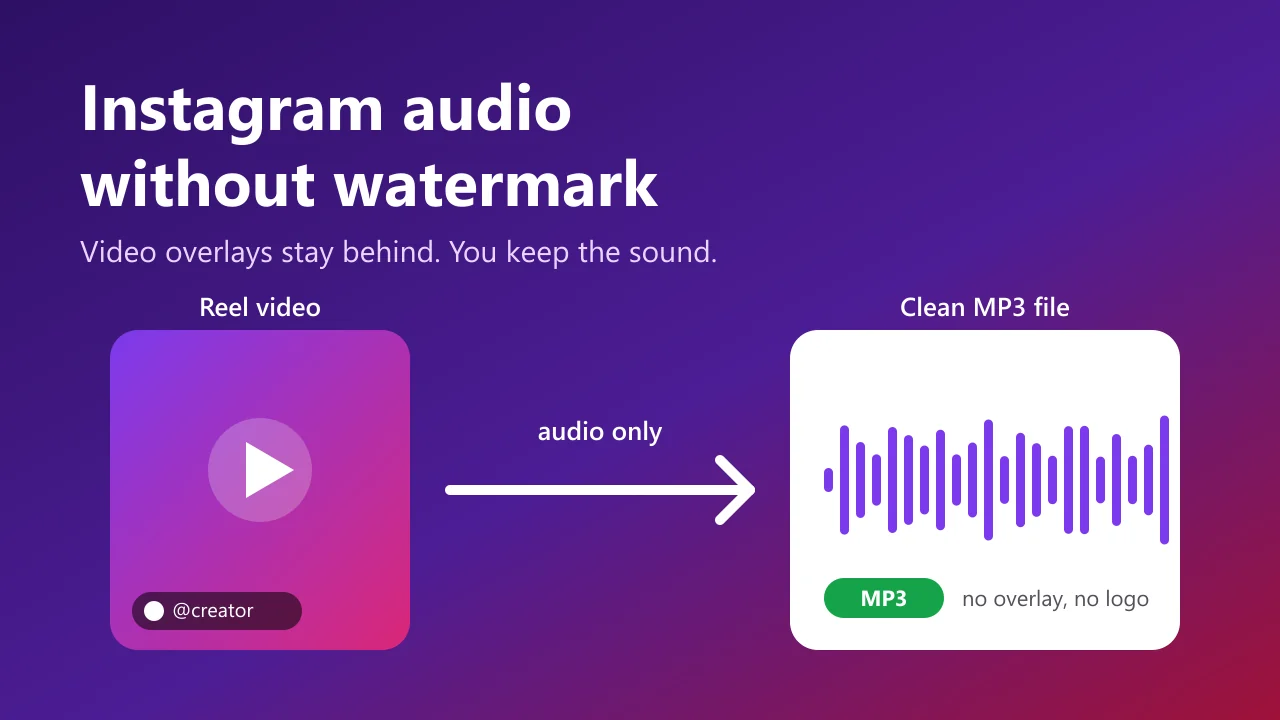
An Instagram audio downloader without watermark pulls only the sound track out of a Reel, video or Story and saves it as an MP3. An MP3 has no picture, so there is no logo, username banner or screen-recording artefact to remove. Paste a public link into the InstaMP3Box Instagram audio downloader, choose 128, 192 or 320 kbps, and the file you get contains the audio and nothing else.
This guide explains what “without watermark” really means when you only want the audio, why video downloads pick up overlays and audio files do not, how to save Instagram audio in three steps, which bitrate to choose, and how to tell an honest downloader from one that makes promises it cannot keep.
Key takeaways
- Audio files cannot carry a visible watermark. Overlays belong to video frames; an MP3 has none.
- Use a downloader that extracts audio directly. Screen recording and re-encoding a saved video both add noise and quality loss.
- Pick 128 kbps for speech, 192 kbps for most music, 320 kbps for audio you will edit.
- Only public posts work, and you still need permission to reuse someone else’s sound.
What “without watermark” means for Instagram audio
When people search for an Instagram audio downloader without watermark, they usually mean one of three things, and they are worth separating because the fix is different for each.
1. A visible overlay on a saved video. Some ways of saving a Reel stamp a handle, a platform logo or a moving username on top of the picture. If you then pull the audio out of that video, the sound is untouched, but you have added an extra step and an extra round of compression for no reason.
2. Screen-recording leftovers. Recording your phone while a Reel plays captures notification sounds, taps, the system UI and whatever else happens on the device. That is not a watermark in the strict sense, but it is the most common reason a recorded “audio copy” sounds dirty.
3. Branding added by the download tool. A few converters tag files, prepend a jingle, or bundle the MP3 with an installer. If you want a clean file, the tool should add nothing at all.
A direct audio extractor avoids all three. It reads the public audio stream, encodes it as MP3, and hands you the result. There is no video frame in the process, so there is nothing to stamp, and no recording, so there is nothing to leak into the file.
Why videos get watermarks and audio does not
A visible watermark is a set of pixels drawn onto video frames. It only exists where there are pixels. When you ask for audio, the picture is discarded before the file is written, and the overlay goes with it.
That is why the phrase “remove watermark” is slightly misleading in this context. You are not removing anything from the sound. You are choosing a route that never includes the picture in the first place. The practical consequences are:
- No cropping or blurring tricks. You never need to edit out a logo, because there is no logo in the output.
- Smaller files. A 60-second Reel is tens of megabytes as video and roughly 1.4 MB as a 192 kbps MP3.
- Faster handling. Audio-only files open instantly in any player, editor or transcription service.
It also explains an honest limit. A downloader cannot make the original sound better than what Instagram stored, and it cannot strip identifiers a rights holder has deliberately embedded in the audio. We come back to that in the copyright section below.
How to download Instagram audio without watermark
The whole process runs in your browser and takes about a minute. No account, no app and no Instagram login are involved.
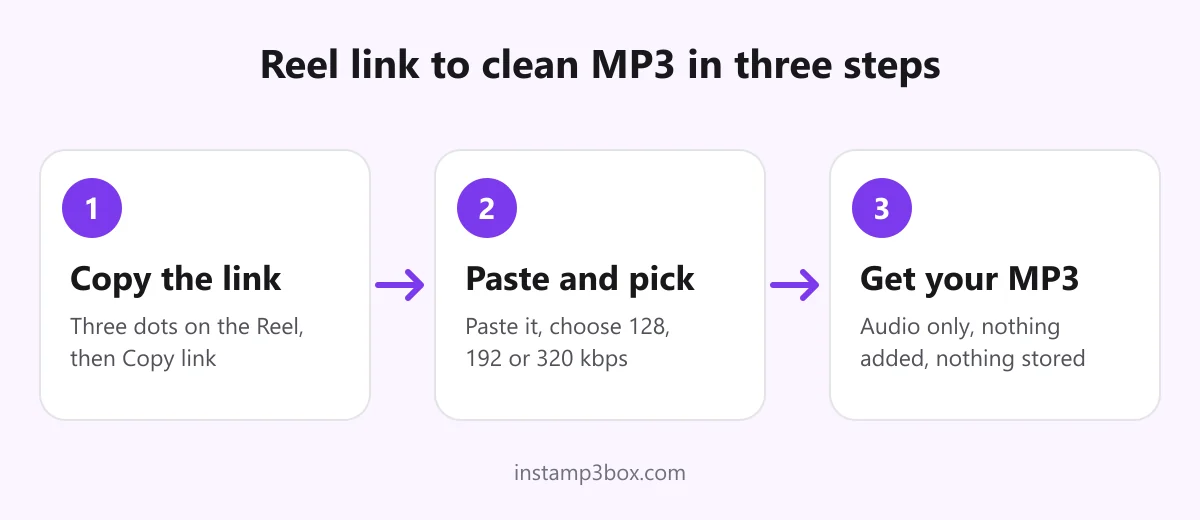
- Copy the link. In the Instagram app, tap the three dots (or the paper-plane icon) on the Reel and choose Copy link. On a computer, copy the address from the browser bar. Share links that carry tracking parameters are fine; they are cleaned up before anything is requested.
- Paste it and choose a bitrate. Open the Instagram Reels to MP3 converter, paste the link and pick 128, 192 or 320 kbps. The link is validated in your browser first, so a typo or a non-Instagram URL is caught before any request is sent.
- Download the MP3. The converter shows the title, creator handle, duration and an estimated file size. Press download and the MP3 is encoded as it streams to you, so it starts right away.
InstaMP3Box encodes with the LAME encoder at 44.1 kHz and strips embedded metadata from the output, so the file carries no tags from the source video. The audio passes through memory and is not written to disk on the server, which means there is no stored copy and no download history on our side.
Choose the right bitrate
Bitrate decides file size and, up to a point, quality. The three options available here cover almost every use.
- 128 kbps is about 1 MB per minute. It is the sensible choice for voice-overs, interviews, podcasts and anything where people talk. Speech is rarely improved by a higher setting.
- 192 kbps is about 1.4 MB per minute. It is a good default for music you want to listen to on a phone or in a car.
- 320 kbps is about 2.4 MB per minute. Choose it when you plan to cut, pitch-shift or layer the audio, because every later edit adds its own loss.
One expectation to set honestly: Instagram compresses audio when a video is uploaded. Selecting 320 kbps does not restore detail that was already discarded; it avoids adding a second layer of loss on top. If the original upload sounds thin, no bitrate will fix that. For a deeper explanation of how bitrate works, see the general overview of the MP3 format.
Reels, feed videos and Stories behave differently
The method is the same, but the details vary by content type.
Reels are the simplest. Links look like instagram.com/reel/SHORTCODE and work as long as the account is public. This is the most common use, and the dedicated Reels to MP3 page covers the specific quirks.
Feed videos and IGTV uploads use instagram.com/p/SHORTCODE or /tv/ links. If a post is a carousel with several clips, you get the audio from the first video in the set. Longer uploads work too; for anything past about 15 minutes, 128 kbps keeps the transfer comfortable on a slow connection. The Instagram video to MP3 converter goes into more detail.
Stories only resolve while they are live, which is 24 hours. Once a Story expires, the link stops working for everyone. Story links also fail more often than Reels because Instagram guards them more tightly; our Story audio downloader guide lists the usual causes.
On iPhone, Android and desktop
Because the tool runs entirely in the browser, the steps do not change between devices. Where the file ends up does. Our device-by-device guide to downloading Instagram Reel audio shows the exact taps for each.
- iPhone and iPad: the MP3 is saved to the Files app, under Downloads. From there you can share it to GarageBand, a voice-memo app or any editor.
- Android: the file lands in your Downloads folder and appears in your music player or file manager.
- Windows, macOS and Linux: the file goes to your normal downloads location and plays in any media player.
If you see an M4A file instead of an MP3, our own converter could not read that particular link and a backup audio service was used. M4A plays almost everywhere and can be converted to MP3 in any audio editor.
How to spot a “no watermark” downloader that is not
The search results for this keyword are crowded, and many pages promise the same thing. A few checks separate trustworthy tools from the rest.
- It should never ask you to log in to Instagram. A downloader for public posts has no reason to see your password or session. If a site asks for it, close the tab.
- It should not require an install. Browser extensions and desktop “helpers” are not needed to convert a link.
- The download button should be obvious. Fake buttons, stacked ads and countdown timers that restart are a pattern, not a coincidence.
- The output should be a real MP3. Check the file extension and, if you are unsure, the properties in your player. Some sites rename a video file and call it audio.
- The file should be small and silent about its origin. A 60-second clip at 192 kbps is around 1.4 MB. A 30 MB “audio file” is probably a video in disguise.
- The privacy policy should say what is stored. Ours explains what is and is not collected in the privacy policy.
None of these checks takes long, and together they remove most of the risk of malware, aggressive redirects and misleading promises.
Audio watermarks, copyright and what you can do with the file
There is a second meaning of “watermark” that matters here. Rights holders sometimes embed an inaudible identifier in audio, a technique known as digital watermarking. These marks are designed to survive conversion, they are not visible, and no legitimate downloader removes them. A claim that a tool strips every kind of watermark from sound should be treated as marketing, not fact.
Separate from that, the law cares about permission, not about whether a file has a logo on it. Saving the audio of your own posts is fine. So is reusing sound you have written permission for, or material under a licence whose terms you follow. Re-uploading someone else’s audio as your own, or using commercial music in monetised content without a licence, is not made acceptable by the absence of a watermark. Instagram’s own Terms of Use also restrict automated collection of content, and you are responsible for staying within them. Our terms of service spell out permitted use, and rights holders can reach us through the contact page.
A good rule: if you could not publish the video, you probably should not publish its audio either.
Fixing links that will not convert
Most failures come down to a short list of causes.
- The account is private. Only publicly visible posts can be read, and nothing here tries to get around Instagram’s privacy settings.
- The post was deleted or archived, or the Story has expired.
- The link points at a profile or highlight rather than a single post. Open the specific Reel and copy that link.
- The video has no sound. Some Reels are silent, and the converter says so instead of producing an empty file.
- Heavy traffic or rate limits. Requests are limited per network to keep the service fast. Wait a minute and try again.
A reliable test is to open the link in a private browsing window. If you cannot see the post while logged out, the converter cannot see it either.
The short version
For clean sound, skip the video route entirely. Copy the link, paste it into an Instagram audio downloader that extracts the track directly, choose a bitrate that suits the material, and keep only files you have the right to use. That gives you an MP3 with no watermark, no recording noise and no extras. Ready to try it? Open the converter and paste your first link.
InstaMP3Box Team
The InstaMP3Box team writes guides on saving audio from Instagram — from quick how-tos to deeper explainers on bitrate and file formats.
How we write and update our guidesFollow on X (Twitter) ↗Frequently asked
Does an Instagram audio downloader add a watermark to the MP3?
No. A watermark is a visual overlay on video frames, and an MP3 has no picture. InstaMP3Box also adds no tags, jingles or branding to the file, and it strips embedded metadata from the output.
How do I download Instagram audio without watermark on iPhone?
Copy the Reel link in the Instagram app, paste it into the converter in Safari, choose a bitrate and download. The MP3 is saved in the Files app under Downloads.
Is screen recording a good way to save Reel audio?
Not really. It can capture notification sounds and system noise and re-compresses the audio. Extracting the audio track directly from a public link is cleaner and produces a smaller file.
Can I download Instagram audio from a private account?
No. Only publicly visible posts can be converted. Private accounts, deleted posts and expired Stories return an error.
Which bitrate should I choose for Instagram audio?
Use 128 kbps for speech, 192 kbps for most music, and 320 kbps if you plan to edit the audio. Higher bitrates cannot restore detail Instagram already removed.
Is it legal to download Instagram audio without a watermark?
Saving your own audio or content you have permission to use is generally fine. Republishing or monetising someone else's audio without a licence can infringe copyright, with or without a watermark. This is general information, not legal advice.